EN
EN
 AR
AR
 BG
BG
 HR
HR
 CS
CS
 DA
DA
 NL
NL
 FI
FI
 FR
FR
 DE
DE
 EL
EL
 HI
HI
 IT
IT
 JA
JA
 KO
KO
 NO
NO
 PL
PL
 PT
PT
 RO
RO
 RU
RU
 ES
ES
 SV
SV
 TL
TL
 ID
ID
 SR
SR
 VI
VI
 HU
HU
 MT
MT
 TH
TH
 TR
TR
 FA
FA
 MS
MS
 GA
GA
 BE
BE
 BN
BN
 LO
LO
 LA
LA
 NE
NE
 MY
MY


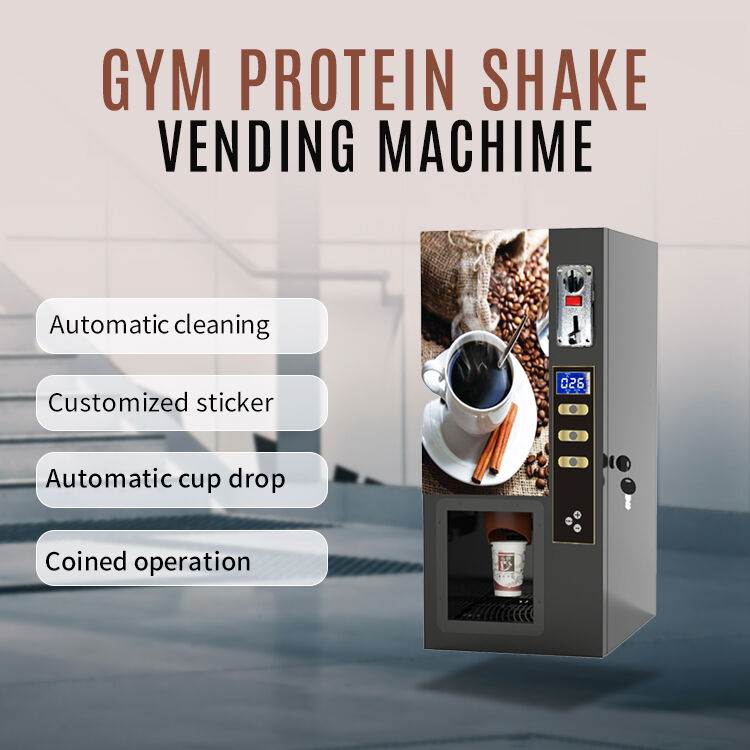
The Autobar Coffee Machine with touchscreen control is really changing way people make and enjoy coffee. This machine make process much faster and simple, specially for places like cafe or restaurants. With bright and easy screen, workers just tap what drink they want without get confused. So less waiting for customers and they can serve more drinks. Using autobar coffee machine help business save time and work. GS is proud to offer this special machine to improve coffee service everywhere.
How Autobar Coffee Machine Touchscreen Control Make Wholesale Operations Easier?
The touchscreen on Autobar Coffee Machine make wholesale things way easier. First it give simple way to pick drinks. No need search buttons or knobs, workers just tap screen for what they need. This automatic coffee machine vending save time and less mistakes happen. For example in cafe if need make many lattes, worker tap latte and pick size quick. Whole process get faster to serve people.
And touchscreen show all drinks available with ingredients too. Workers know exactly what they making, and see how much stuff needed. This important to control cost because reduce waste. If coffee shop low on something, machine alert them. That’s why they can order supplies before completely run out.
Also system can update easy with new drinks or recipes. If GS bring new flavor, add it to machine no problem. Menu stay fresh for customers. Another good thing machine track how many drinks made. Business owners see popular drinks and maybe change some things.
With Autobar Coffee Machine wholesale operations become smooth and efficient. Employees work quicker, customers happy cause drinks come fast. It not just about make coffee, it about make whole experience better for all.
How Touchscreen Technology Change Coffee Machine Use for Retailers?
Touchscreen tech really transform how retailers use coffee machines. It make machines much easy to operate. Retail workers learn Autobar automatic coffee vending quick because screen clear and simple. They no deal with complicate buttons or confusing settings. Specially good for new employees who nervous at first about make drinks.
Screen can show pictures of each drink, great for workers and customers both. When customer ask specific drink, worker find it fast by look at screen. This reduce mistakes and sure right drink made. Imagine customer want caramel macchiato, worker tap picture and start.
Another nice feature is customize drinks. Customers usually want coffee their way. With Autobar, workers adjust ingredients easy on touchscreen. Change sweetness or add flavor no complication. This make customers feel special and come back more.
Lastly touchscreen help with training also. Retailers use machine teach new staff make drinks. They practice on screen no pressure. This build confidence before serve real customers. With all feature Autobar make retailer work easier and enjoyable.
GS proud bring this usability to coffee shops, help them serve customers better and quicker.
How to Get Max Efficiency with Autobar Coffee Machines?
Autobar coffee machines are great tool for make tasty coffee fast and easy. GS want help you know how use these machines so coffee operations run smooth. First important set up Autobar machine correct. Follow GS instructions for best result. After setup you use touchscreen control. It user friendly and let choose different coffee with one tap. Anyone can make coffee no need special training.
One good way max efficiency is program machine for busy time. You can save popular drinks as favorites on screen. So when rush come, serve quick without waste time. Another tip keep beans and supplies stocked. If machine run out coffee or milk service slow down. GS say check supplies regular to avoid stop.
Lastly Autobar help save time on cleaning. Many have automatic clean function. You no spend long time clean by hand. Just set clean and it do itself. Follow these tips your coffee service faster and more nice for everyone.
Common Problems with Touchscreen Coffee Machines and Fixes
Even Autobar coffee machines easy use, sometime people face issues with touchscreen. GS want help solve so you always enjoy good coffee. One common problem touchscreen not respond when touch. Frustrating when hurry. First check if screen clean. Dirt or coffee spill can make it not work good. Wipe gentle with soft cloth.
Another issue make wrong drink. With many options on screen easy pick wrong one. Don’t worry most Autobar let cancel order before start. Look for cancel button. GS recommend read drink names careful before select.
Sometime machine out of supplies like coffee or milk. Touchscreen show warning. GS suggest check regular so refill before customer notice. If machine not work at all maybe need restart. Turn off and on after few seconds. Know these common issues and solutions keep coffee service run smooth.
What Wholesale Buyers Should Know About Touchscreen Coffee Machines?
If you wholesale buyer look for coffee machines, GS have some tips about touchscreen like Autobar. First think about size and capacity. Consider how much coffee serve each day. Busy cafe or restaurant maybe need machine make multiple cups once. GS offer different size Autobar so fit your need perfect.
Another thing is ease of use. Touchscreen control friendly for staff and customers. Make sure machines have clear instructions and easy options. This help workers serve fast keep customers happy. GS recommend check if can program for specific drinks. Feature save time in busy hours.
Finally look at support and warranty. GS give good customer service if problem come. Warranty important protect if something wrong. Keep these in mind wholesale buyers make smart choice buy touchscreen coffee machines for best tool in coffee business.
Table of Contents
- How Autobar Coffee Machine Touchscreen Control Make Wholesale Operations Easier?
- How Touchscreen Technology Change Coffee Machine Use for Retailers?
- How to Get Max Efficiency with Autobar Coffee Machines?
- Common Problems with Touchscreen Coffee Machines and Fixes
- What Wholesale Buyers Should Know About Touchscreen Coffee Machines?